Professional Drum Machine with 256 Patterns
Create complex rhythms with ease. 256 patterns, 8-channel step sequencer, and support for classic kits (808, 909, Linn) — the perfect tool for hip-hop, trap, dubstep, and more.
A powerful, intuitive music production environment for creators who want to make professional beats fast — no DAW needed.
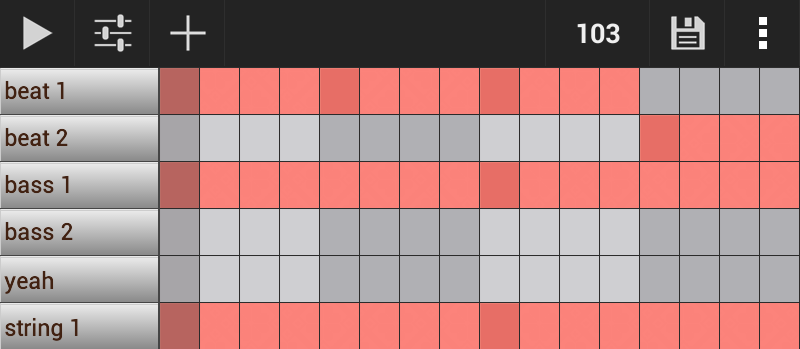
Turn your phone into a full music production studio. GrooveMixer gives you everything you need to create beats anywhere — from drum patterns to professional-quality exports, all in your pocket.
Create complex rhythms with ease. 256 patterns, 8-channel step sequencer, and support for classic kits (808, 909, Linn) — the perfect tool for hip-hop, trap, dubstep, and more.
Edit every single note. Adjust pitch, velocity, and panning — craft unique melodies and basslines with precision down to the finest detail.
Don't be limited to 4/4. Support for 3/4, 6/8, 9/8, and more — experiment with rhythms in jazz, ethnic music, or progressive genres.
Studio-level balance at your fingertips. Adjust volume, panning, solo/mute channels — achieve a clean, professional mix every time.
Bring your patterns to life. Add depth, motion, and character with Delay, Reverb, Filter, Compressor, Distortion, and Bitcrusher.
Your sound, your style. Import samples directly from SD card.
Share your music anywhere. Save tracks as WAV, OGG, FLAC, or MIDI and publish to SoundCloud, YouTube, or your DAW.
Simple. Fast. No learning curve. Beginners can make their first beat in 5 minutes. Pros will appreciate the depth of control.
Ideal for jams, sketches, and live use. Use as a metronome, backing track, or beatbox — capture ideas anytime, anywhere, even with live instruments.
No creative limits. Build full songs, long arrangements, or evolving soundscapes — your music grows as big as your ideas.
See how easy it is to create beats and mixes right on your phone. Designed to inspire, not to overwhelm with complex settings.
Extract the sounds to your device, and use them instantly in GrooveMixer — no conversion needed. See how to download and use samples in GrooveMixer.
808 bass slides for Trap and UK Drill.
One shot samples from Tyrell for creating melodies. It contains: Choir, Harp, Violin, Strings.
One shot samples from Tyrell for creating melodies. It contains: Bass, Piano, Organ.
Explore our step-by-step guides and start creating your own beats today — even if you're just getting started!
Beginner tutorial for getting started with GrooveMixer for beat makers
In this tutorial I will show you how to make the most frequently sampled drum loops in breakbeat, hip hop, breakbeat hardcore, jungle, and drum and bass music.
This is a step-by-step tutorial for beginners that shows how to create a simple beat using GrooveMixer Drum Machine.
Yes, you can sell beats, exported files, or use them in releases — no restrictions.
Yes, all sounds can be used in personal and commercial projects without royalties. Full cleared license included.
Yes, built-in effects per pattern: filter, compressor, delay, reverb, bitcrusher, and more.
Yes, you can export your project as a file and send it via messaging apps, email, or cloud services.
Export as WAV or MIDI files directly from the app.
No. All projects are stored locally on your device.
Yes, unless you've made a backup. We recommend exporting your projects before uninstalling.